A tool for the writing desk
Codex
Overleaf Link.
Empower Overleaf with Codex.
Codex Overleaf Link adds a Codex panel next to the Overleaf editor. Ask about your project, or let Codex edit it: changes go back through the editor, as tracked changes if you want, and every run can be undone. Codex runs on your machine through the Codex CLI.
Screenshots from 2.6.0 (pre-release)
Specification Technical record
- Runtime
- Chrome extension (Manifest V3) + Node.js native host
- Platforms
- macOS / Windows / Linux
- Requirements
- Google Chrome on macOS, Windows or Linux (or Chromium on Linux) Node.js 20+ Codex CLI, installed and signed in
- Works on
- overleaf.com www.overleaf.com cn.overleaf.com Self-hosted Overleaf is not supported.
- License
- MIT
- Runtime dependencies
- 0
- Latest stable
- v2.5.1
- Pre-release
- v2.6.0-rc.1
- Releases
- 109Since 2026-05-04 · v0.1.1
- Stars
- 96As of
01 / The working surface
Inside the editor.
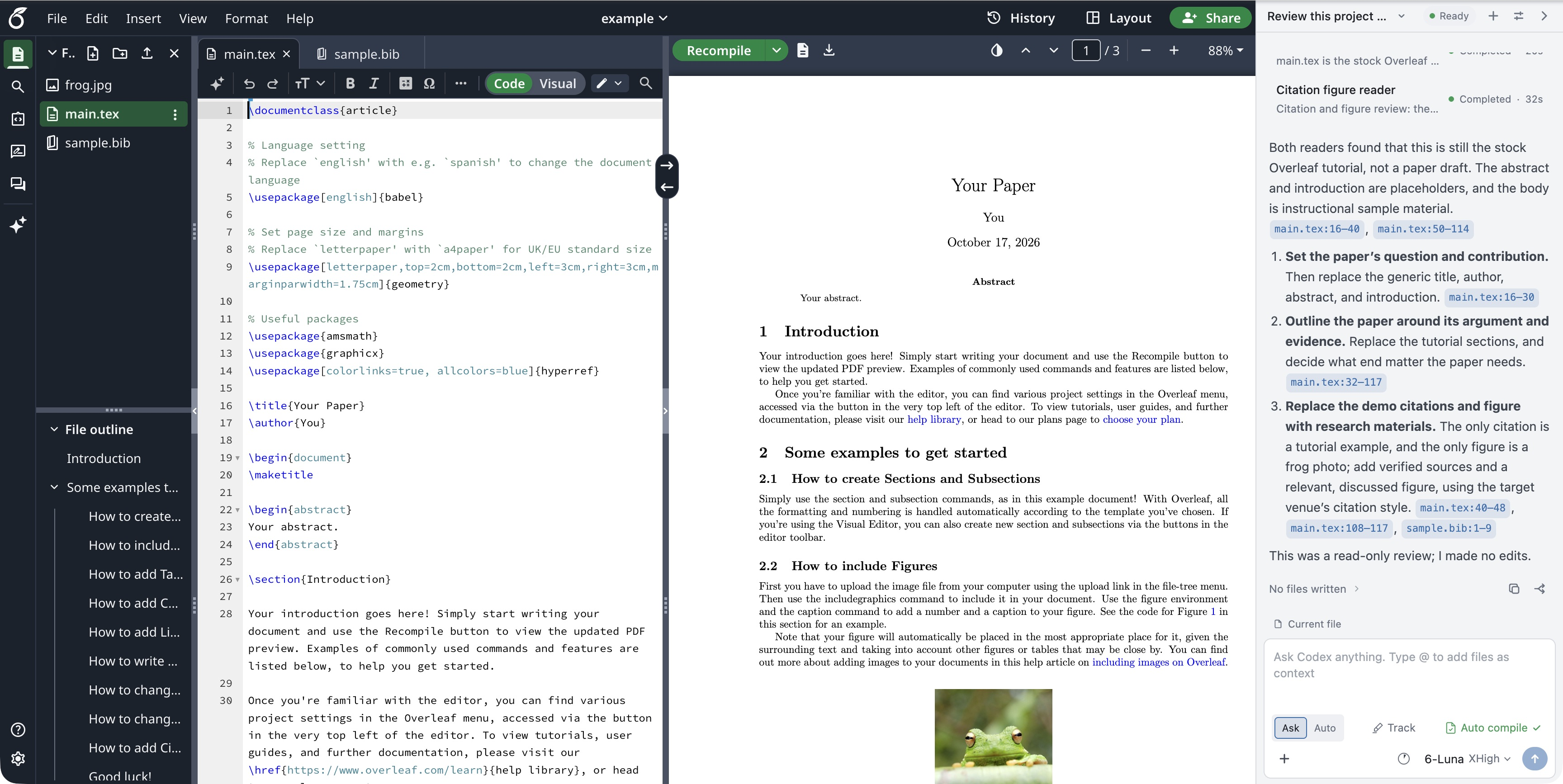
Plate 1 — The Codex panel next to the editor and PDF in the Overleaf example project.
02 / Working plates
Read. Edit. Review.
The controls, their effects, and the details that matter while writing.
Operating modes
What reaches Overleaf
| Mode | Can | Changes go to |
|---|---|---|
| Ask | read the project | nowhere; Overleaf is not touched |
| Auto | read and edit | Overleaf, in Editing mode |
| Auto + Track | read and edit | Overleaf, as tracked changes |
Fig. 2.1
Ask, Auto and Track
With Track on, each rewritten sentence becomes one tracked change and small fixes stay word-level, so the Review panel reads like edits made by hand. Accept changes accepts the run's own tracked changes; Undo changes restores the files the run wrote and removes the files it created, also after a page reload.
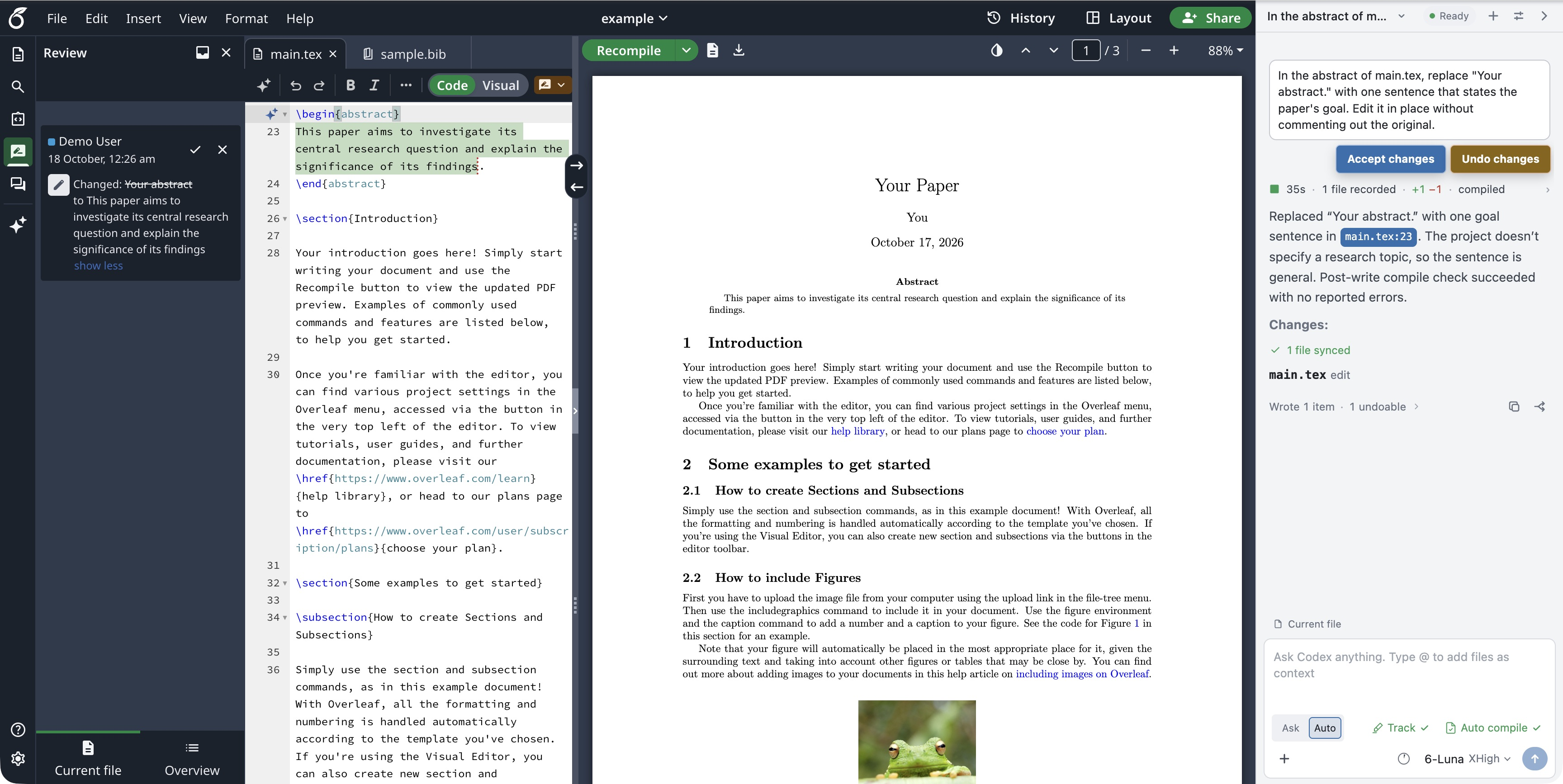
Fig. 2.1 — A tracked change in Overleaf's Review panel, with Accept changes and Undo changes on the run card.
Fig. 2.2
Context
Attach project files with @ or +, add @compile-log for a compile problem, or select lines in the editor and choose Add to Chat to reference them as a range such as main.tex:22-24. Edit Selection limits the edit to the selected text.
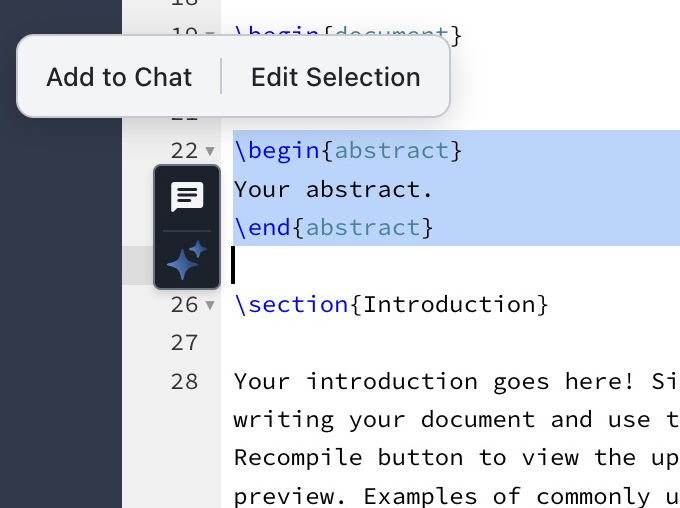
Fig. 2.2a — Lines selected in the editor, with the Add to Chat and Edit Selection toolbar.
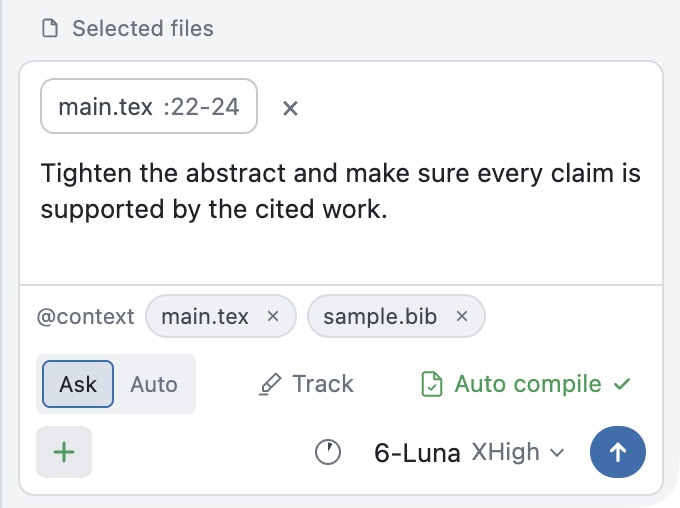
Fig. 2.2b — Two files and a line range attached to the composer.
Fig. 2.3
Run timeline and subagents
Parallel Subagents · experimentalEach run keeps its steps and its answer together. Expand the timeline to see what Codex read, ran and changed. With Parallel Subagents on (experimental), the main agent can hand work to readers and workers that run alongside it.
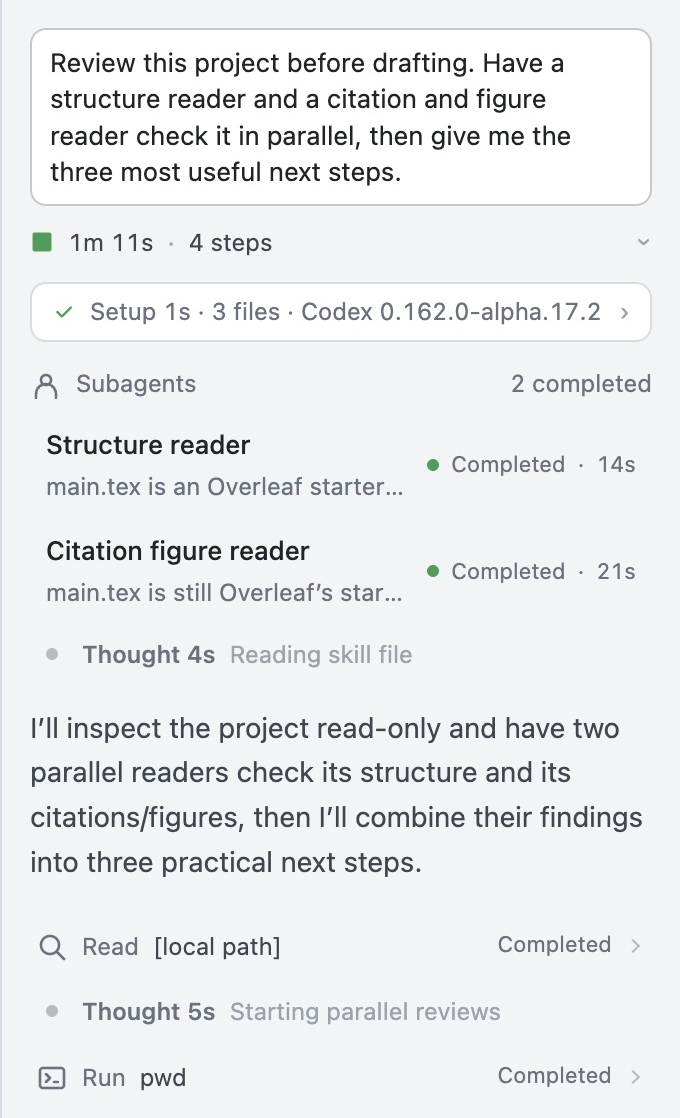
Fig. 2.3a — A run timeline with two subagents.
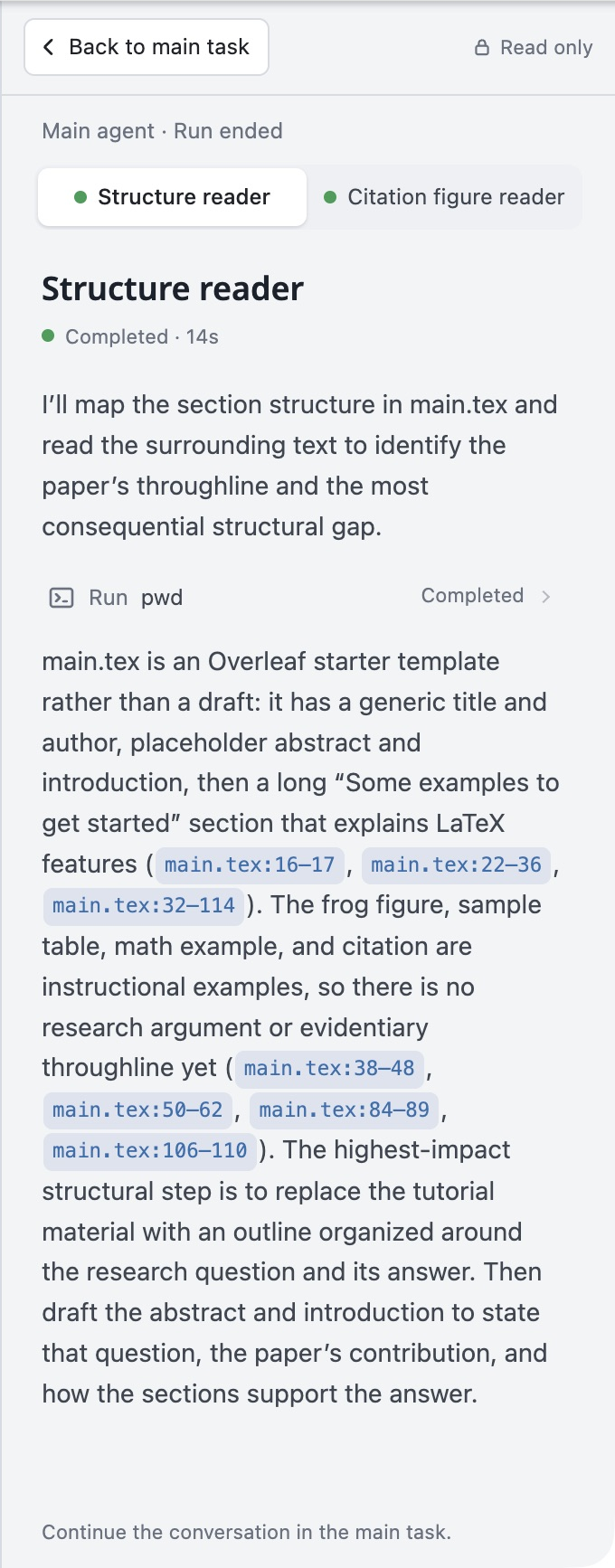
Fig. 2.3b — A subagent's read-only conversation.
Fig. 2.4
Context window
The ring beside the model shows how full the conversation's context window is. Open it to see the latest input, cached input and output, or to compact the conversation; /compact does the same.
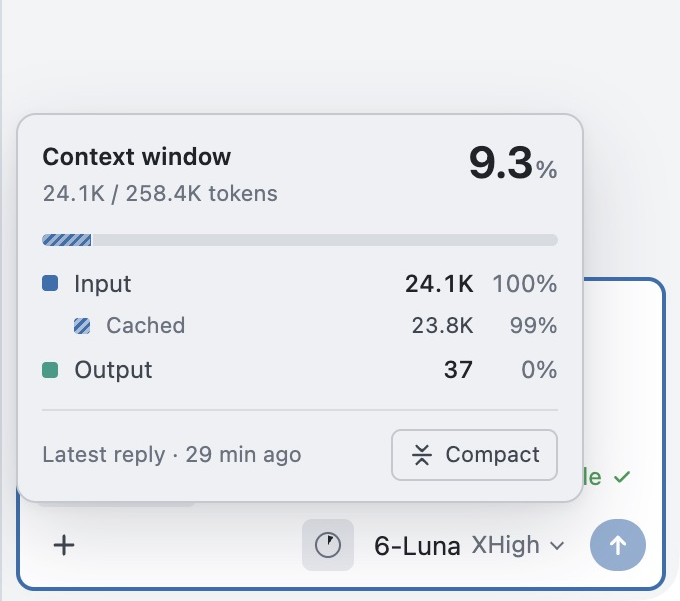
Fig. 2.4a — Context window usage beside the model.
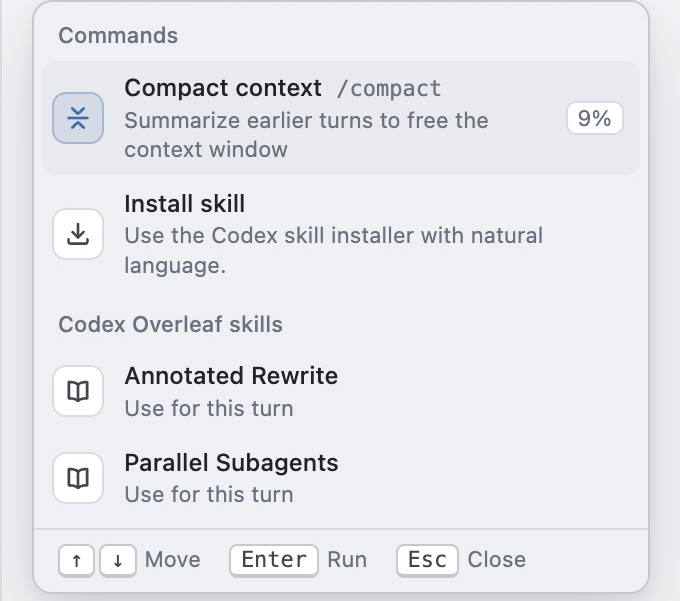
Fig. 2.4b — Typing / opens the command and skill menu, with /compact first.
Fig. 2.5
Results and compile check
Every run ends with a short result. If a run doesn't go as planned, its card names the cause, what it means for the document, and a next step: Didn't finish, Partly written, Not written, or Check Overleaf.
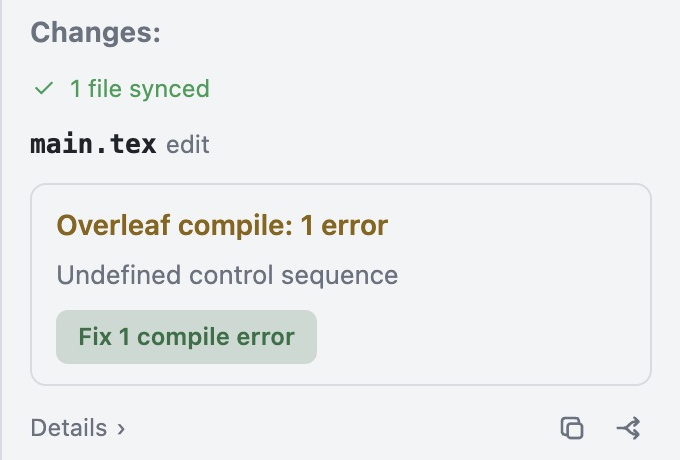
Fig. 2.5a — A compile error on the run card, with a Fix 1 compile error button.
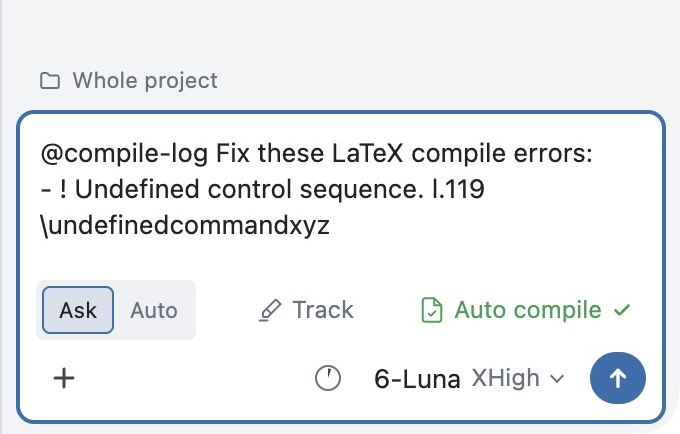
Fig. 2.5b — A fix request with @compile-log drafted in the composer.
Fig. 2.6
Write in My Style
ExperimentalBuilds a writing-style skill from Overleaf projects and PDFs you choose. The style guides phrasing, rhythm, structure and tone; facts, results and citations still come from your project.
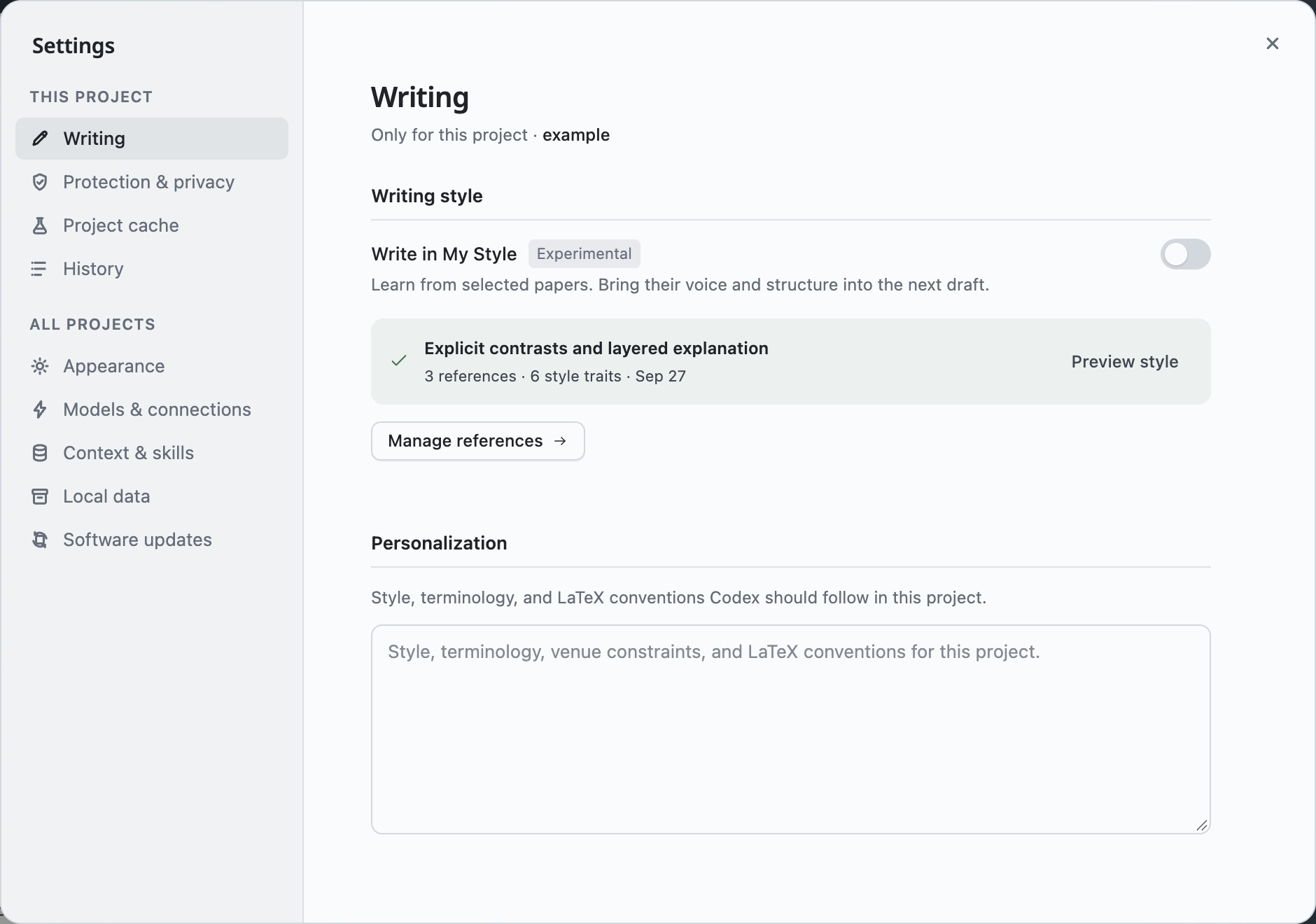
Fig. 2.6 — The Writing page in Settings.
Fig. 2.7
Models and providers
ExperimentalThe panel uses the local Codex CLI's models by default; choose the model and reasoning level in the composer. Other endpoints can be added under Settings → All projects → Models & connections, with shortcuts for OpenAI-compatible and Anthropic-compatible APIs, Kimi, GLM and DeepSeek.
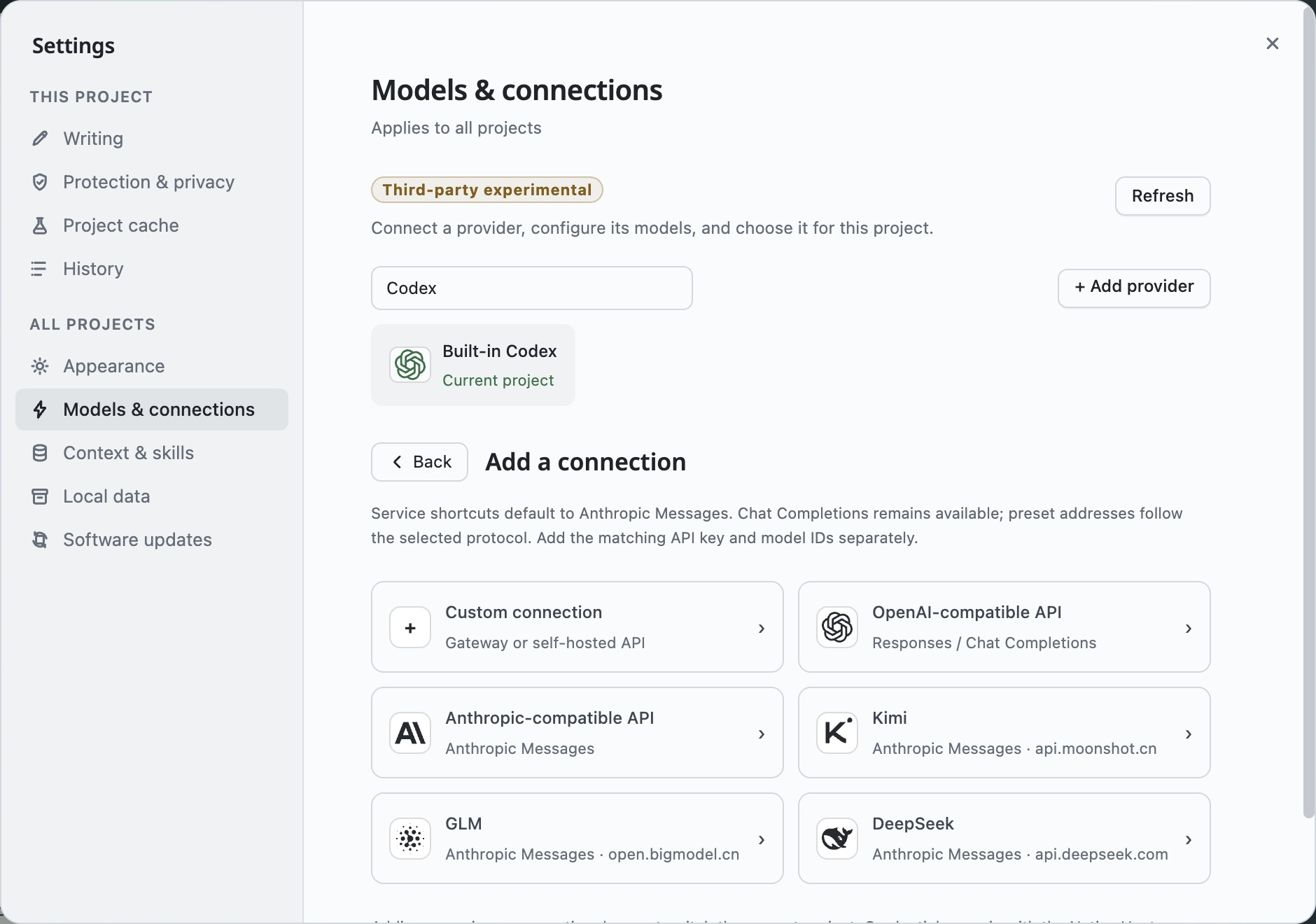
Fig. 2.7 — Provider shortcuts in Models & connections.
03 / Mechanism
From task to text.
Sequence of operation
Follow a single run
- 01
When you send a task, the extension saves the run's settings and syncs the project into a local mirror, or reuses the mirror if it is still current.
- 02
The native host starts codex app-server on the mirror, with a Codex home of its own.
- 03
When Codex is done, the host compares the mirror with its baseline and turns the differences into text patches and file transfers. An Ask run ends here.
- 04
In Auto, the extension writes each patch through the Overleaf editor, after checking the project, path rules, edit mode and expected text, and shifting the patch past edits made elsewhere since the run started.
- 05
It then records the undo point, confirms the save, refreshes the mirror and, if Auto compile is on, recompiles.
04 / Procedure
Set up the link.
Before you begin
Check requirements ↑
- 01
Run the installer (or ask Codex in a terminal to install it).
Terminal / npmnpm exec --yes codex-overleaf-link@latest -- install-managedThe installer sets up the native host and a managed copy of the extension, then prints the extension's folder.
- 02
In chrome://extensions, turn on Developer mode, click Load unpacked and pick the printed extension folder.
- 03
Open an Overleaf project; the panel appears on the right.
Or, ask Codex to install it
Give Codex this instruction in a terminal:
Install Codex Overleaf Link on this computer. Follow the install steps in https://github.com/Ghqqqq/codex-overleaf-link, then tell me what I still need to do in Chrome.
05 / Release ledger
A record of iteration.
releases since
87 stable
22 pre-releases
As of 2026-10-21
Stable releases / month
- 24
- 15
- 38
- 3
- 5
- 2
| Minor | First date | Count | Latest tag |
|---|---|---|---|
| 0.1 | 1 | v0.1.1 ↗ | |
| 0.2 | 1 | v0.2.0 ↗ | |
| 0.3 | 1 | v0.3.0 ↗ | |
| 0.4 | 1 | v0.4.0 ↗ | |
| 0.5 | 1 | v0.5.0 ↗ | |
| 0.6 | 1 | v0.6.0 ↗ | |
| 0.7 | 1 | v0.7.0 ↗ | |
| 0.8 | 1 | v0.8.0 ↗ | |
| 0.9 | 2 | v0.9.5 ↗ | |
| 1.0 | 1 | v1.0.0 ↗ | |
| 1.1 | 3 | v1.1.3 ↗ | |
| 1.2 | 2 | v1.2.6 ↗ | |
| 1.3 | 6 | v1.3.9 ↗ | |
| 1.4 | 10 | v1.4.9 ↗ | |
| 1.5 | 4 | v1.5.3 ↗ | |
| 1.6 | 5 | v1.6.4 ↗ | |
| 1.7 | 5 | v1.7.7 ↗ | |
| 1.8 | 7 | v1.8.6 ↗ | |
| 1.9 | 14 | v1.9.13 ↗ | |
| 2.0 | 1 | v2.0.0 ↗ | |
| 2.1 | 6 | v2.1.5 ↗ | |
| 2.2 | 2 | v2.2.1 ↗ | |
| 2.3 | 7 | v2.3.6 ↗ | |
| 2.4 | 2 | v2.4.1 ↗ | |
| 2.5 | 2 | v2.5.1 ↗ |
Pre-release channel: v2.6.0-rc.1 · 2026-10-19